Reminder CallsTool

Appointment reminder calls, made for you the day before each visit.

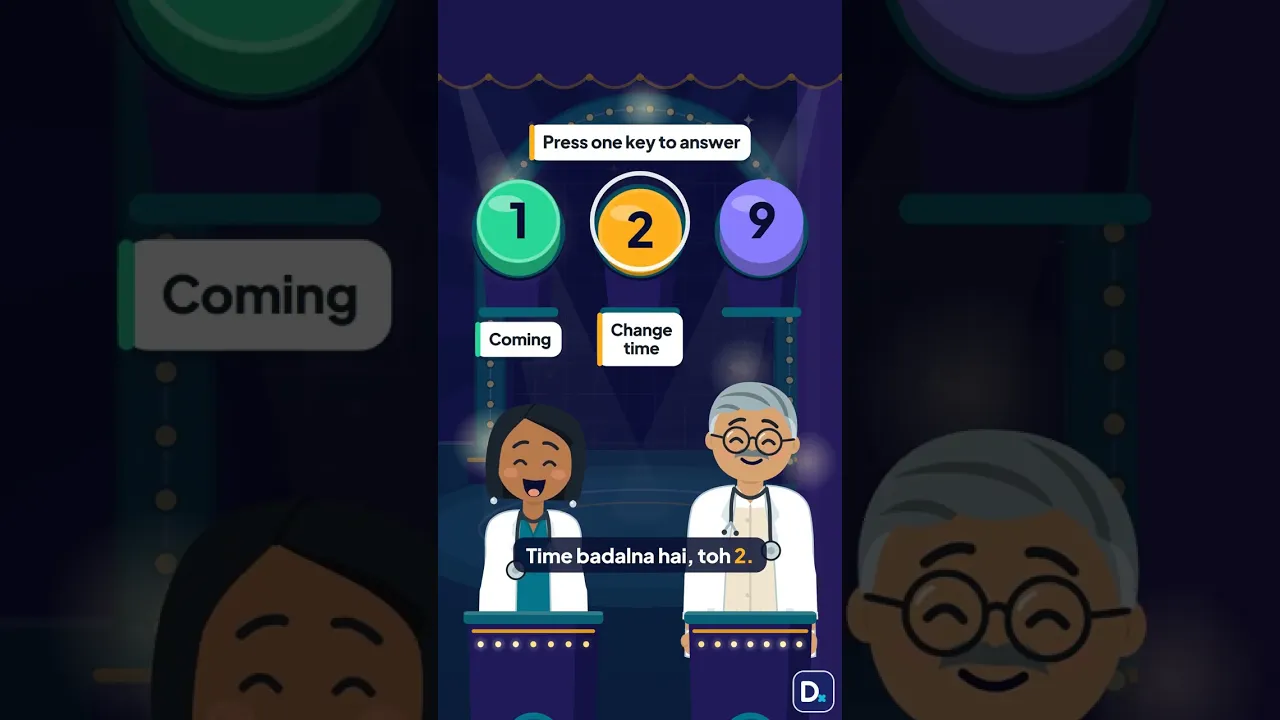
A short automated call the day before each visit, in Hindi or English. Patients press 1 if they are coming, 2 to change the time, or 9 to stop the calls.

You get
A short call the day before each visit, in Hindi or English. Up to 300 calls a month, between 10 am and 7 pm.
We do
We find tomorrow's visits, make each call and note each answer.
You do
Pick the language and the hours. Call back anyone who pressed 2.
Live
We switch it on for your clinic within one working day.

We switch it on for your clinic within one working day.

The evening before a visit, a grandmother takes the clinic's call on her sofa. The words she hears float beside her.नमस्ते Rohan। यह Dr Ira Mehta केक्लिनिक से याद दिलाने के लिए कॉल है।आपकी विज़िट कल शाम 6:30 बजे है। आ रहेहैं तो 1 दबाएँ। समय बदलना है तो 2दबाएँ। ये कॉल नहीं चाहिए तो 9 दबाएँ।ComingSample

An appointment reminder call is a short call the day before a visit. The patient presses 1 if they are coming. They press 2 to change the time, or 9 to stop the calls. You see each answer in your Workspace.

Updated

Reminder Calls on its own

₹999 a month, or ₹9,990 a year

Or get it included in Pro.

What happens next

  1. Set up your free digital clinic. It takes 60 seconds.
  2. Pay for Reminder Calls in your Workspace.
  3. Turn on calls. Patients hear from you the day before.

Reminder calls the day before each visit

A short call reminds each patient the day before. 1 = coming, 2 = new time, 9 = no calls.

Watch on YouTube

A phone rings with the clinic's name. Cards show the short call it speaks, in Hindi and English.MSMehta Skin Clinic18:30नमस्ते Rohan। यह Dr Ira Mehta केक्लिनिक से याद दिलाने के लिए कॉलहै। आपकी विज़िट कल शाम 6:30 बजेहै। आ रहे हैं तो 1 दबाएँ। समयबदलना है तो 2 दबाएँ। ये कॉल नहींचाहिए तो 9 दबाएँ।Namaste Rohan. This is a reminder fromDr Ira Mehta's clinic. Your visit istomorrow at 6:30 PM. If you arecoming, press 1. To change the time,press 2. If you do not want thesecalls, press 9.ComingSample

What the patient sees

The day before the visit, the patient's phone rings. It is a normal call, so any phone works. A calm voice says: "Namaste Ravi. This is a reminder from Dr Asha Verma's clinic. Your visit is tomorrow in the evening. If you are coming, press 1. To change the time, press 2. If you do not want these calls, press 9." In Hindi: "नमस्ते रवि। आपकी विज़िट कल शाम है। आ रहे हैं तो 1 दबाएँ।" After a key, they hear a short thank-you.

The doctor's Workspace on a phone: the website is live, and new visit requests are waiting.Namaste, Dr Ira Mehta.Your website is live.ViewShareWaiting for youNew visit requests2Social posts to approve1TodayVisit requests for today: 3See allYour toolsClinic BotOnMissed-call replyOnHomeWebsiteToolsBookingsMore13:05Sample

What you set

You turn the calls on in your Workspace. You pick the language patients hear: Hindi or English. You pick the hours to call, between ten in the morning and seven in the evening. Your VisiDx bookings are called with nothing more to set. For phone bookings and your register, add a patient by hand, or upload a CSV file saved from Excel. You tick that each patient agreed to a call.

How it works

  1. Turn on Reminder Calls in your Workspace. Pick Hindi or English, and the hours to call.

  2. Your VisiDx bookings are ready. Add other patients by hand, or from a CSV file, with their visit date.

  3. The day before each visit, we call the patient. If nobody answers, we try once more two hours later.

  4. In your Workspace, see who is coming, who wants a new time and who did not answer. Call back anyone who pressed 2.

What you get

Works on any phone

It is a plain phone call, not an app or a message. It reaches a patient with a basic phone, or one who does not read messages. An older patient only has to listen and press one key.

Your list, ready before the OPD

Every answer shows in your Workspace: coming, wants a new time, asked not to be called, no answer. Your desk knows whom to call back before the day starts.

Patients can stop it

Pressing 9 stops the calls for good. Your clinic never calls that number again. Patients never get a call from you that they cannot switch off.

Nothing private is said

The call says your clinic's name, the patient's first name and "tomorrow". It adds the time of day when we have it. It never says why the patient is coming.

Which reminder to send

Which reminder to sendText messageWhatsApp noteReminder call
What the patient needsA mobile numberWhatsApp on their phoneAny phone that rings. No app
How the patient answersTypes a reply, if you allow itTaps a button or typesPresses 1, 2 or 9
Who it suitsPatients who read messagesPatients who use WhatsAppPatients with a basic phone, or who prefer to listen

Works with what you already use

Your VisiDx bookings

Website requests, WhatsApp bookings and clinic consults get a call. Nothing to set up.

Phone bookings and your register

Add one patient, or a CSV file saved from Excel. You tick that the patient agreed.

Any mobile the patient has

It is a normal phone call. No app and no WhatsApp needed.

Calls go out between 10 am and 7 pm, up to 300 a month, a second try included.

Who it's for

For a clinic that books visits ahead and wants to know who is coming. It suits patients who prefer a call to a message, like older patients or families on a basic phone. It suits a desk that spends the evening calling tomorrow's list by hand. It works for phone bookings too, not only online ones.

What it never does

  • Never says why the patient came, or names an illness.
  • Never calls a cancelled booking.
  • Never calls a number again after it pressed 9.
  • Never makes sales calls.
  • Never calls outside the hours you pick.

Calls go out between ten in the morning and seven in the evening. Up to three hundred a month, a second try included.

Ways to get it

  • On its own: ₹999 a month, or ₹9,990 a year
  • In Pro: included
  • On Free or Plus: add it any time
See plans

Questions

Which patients get a reminder call?

Patients with a visit tomorrow and a mobile number. That covers your VisiDx bookings: visit requests, WhatsApp bookings and Digital Clinic consultations. It also covers patients you add yourself, by hand or from a file. A cancelled booking never gets a call.

What does the reminder call say?

Your clinic's name, the patient's first name, and that the visit is tomorrow. It adds the time of day when we have it. Then it asks the patient to press 1, 2 or 9. It never says the reason for the visit, the doctor's specialty or any health detail.

What if nobody answers?

We try once more, two hours later, inside the hours you picked. If there is still no answer, we stop and mark it "No answer" in your Workspace. Your desk can decide whether to call that patient itself.

What happens when a patient presses 2?

The call tells them the clinic will call back to change the time. The patient shows as "Wants to change the time" in your Workspace. Your desk then calls them, and fixes a new time the usual way.

Clinic ka reminder call kaise lagaye?

Workspace mein Reminder Calls on karein. Hindi ya English chunein, aur call ke ghante chunein. VisiDx ki bookings ko apne aap call jaati hai. Phone wali bookings ke liye patient haath se ya CSV file se jodein. Patient 1, 2 ya 9 dabata hai.

Do reminder calls cut no-shows?

We do not promise a number. A Cochrane review of eight trials found text reminders "improved the rate of attendance" against no reminder. It found they "had a similar impact to phone call reminders". The review is from 2013 and studied text messages. The link is on this page.

About this tool

Automated appointment reminder call for clinics

An automated reminder call is a short recorded-voice call before a visit. Reminder Calls ring each patient the day before, in Hindi or English. The patient presses a key to answer. You see each answer in your Workspace. You pay one flat fee, never per call.

Appointment reminder call script, Hindi and English

English: "Namaste Ravi. This is a reminder from Dr Asha Verma's clinic. Your visit is tomorrow in the evening. If you are coming, press 1. To change the time, press 2. If you do not want these calls, press 9." Hindi: "नमस्ते रवि। यह डॉ आशा वर्मा के क्लिनिक से याद दिलाने के लिए कॉल है। आपकी विज़िट कल शाम है।"

SMS, WhatsApp or a call: which reminder should a clinic send?

A text needs a patient who reads messages. WhatsApp needs a smartphone. A call needs only a phone that rings, and a patient who can press a key. Your clinic may have all three kinds of patient. Reminder Calls is for those who would rather listen.

Remind your patients, the day before.