A free doctor website is worth taking if it passes six checks. Whose address does it use? Who can edit it? Is it fast? Does Google find it? Who owns it? Does it stay free?
Some free pages are good. Others hide a cost for later. These checks take about ten minutes. Use them on any free website, from anyone. We make one too, our free website for doctors, so test ours the same way.
Six checks in one table
Ask these six questions and write down the answers. Then compare.
| Check | Ask | A good answer |
|---|---|---|
| 1. Address | What web address will patients see? | A clean address with my name in it |
| 2. Edits | Who changes my timings, and how fast? | I can, or I send a message and it is done |
| 3. Phone speed | Does it open fast on my phone? | Yes, even on mobile data |
| 4. Google | Can Google find it? | Yes, and I can link it from my Google profile |
| 5. Owner | Who owns my words and photos? | I do, and I can ask for them back |
| 6. Free | What do I pay later? | Nothing, and I know what costs extra |
Your address, and your hands
1. Your address. A patient reads your web address on a board, a card or a message. It should be short and carry your name.
Many free sites give a long borrowed address, with the builder's name inside it. That can work to start, but it is borrowed. Ask two things. Can I use my own address later? What happens to the old link then?
Your own address, such as a .in name, is a small yearly cost. The point is that you hold it. If you leave, the address leaves with you.
2. Who can edit it. Your timings will change. A Diwali week will come. A page you cannot change quickly goes out of date, and a patient drives to a shut door.
Ask:
- Can I change it myself, from my phone?
- If I send a message, how long does it take?
- Is every change free? Or is each one a small charge?
A good free page lets you change it as often as you like, without waiting for someone to find time for you.
Fast on a phone, found by Google
3. Is it fast on a phone? Most patients look on a phone, often on weak mobile data. Open the page on your phone, switch off Wi-Fi and count.
Google's web team says the main part of a page should show in 2.5 seconds or less to feel good. You do not need a tool. If you wait and wait, so will a mother standing outside your clinic.
Also look at the words. Can you read them without zooming? Is the WhatsApp button easy to tap with a thumb? Are your name, degrees and timings real words and not a picture of words?
4. Does Google find it? A page nobody finds is a poster in a cupboard. Check it two ways.
First, type site: and the address into Google, with no space. For example, site:yourname.in. Google describes this check in its own guide. If your page shows, Google has seen it. If not, a new page can take a few weeks. That is true for any builder, free or paid.
Second, link the page from your Google profile. Google lets you add or edit your website there. Then a patient who finds your profile can reach your page in one tap. If you have no profile yet, see how to add your clinic on Google Maps.
Who owns it, and does it stay free
5. Who owns it? Doctors often skip this check. It matters most if you ever want to leave. Ask in plain words:
- Who owns the words, photos and fees on my page?
- If I stop using you, can I take them with me?
- Can you take my page down if I ask?
You should hear "you do" three times. If the answer is long or unclear, be careful. Your page carries your name and degrees. It should stay yours.
6. Does it stay free? Some pages are free for a month, then ask for a card. Some show another brand's name or adverts on your page. Some are free to build and charged to edit. Ask:
- Is it free for life, or for a trial?
- Do I need a card to start?
- What costs extra, and is it fair? An own address or extra work done for you is a fair thing to pay for. Changing your own timings is not.
A good answer is short: "Free, no card. You pay only if you want more."
The same six checks, on our free page
Run these six checks on VisiDx too. Here is what is true today:
- Address. Your page lives at your name, then .visidxai.in. A web address of your own comes with a paid plan.
- Edits. You change it as often as you like, by WhatsApp in plain words or in your Workspace. You see a preview, and you say OK.
- Phone speed. Please test it yourself. Open a page on your phone, on mobile data.
- Google. You can link the page from your Google profile. A new page can take a few weeks to show up.
- Owner. The page and everything on it is yours. Ask, and we take it down.
- Free. Free for life. No card. You pay only if you want more, like your own web address or posts done for you.
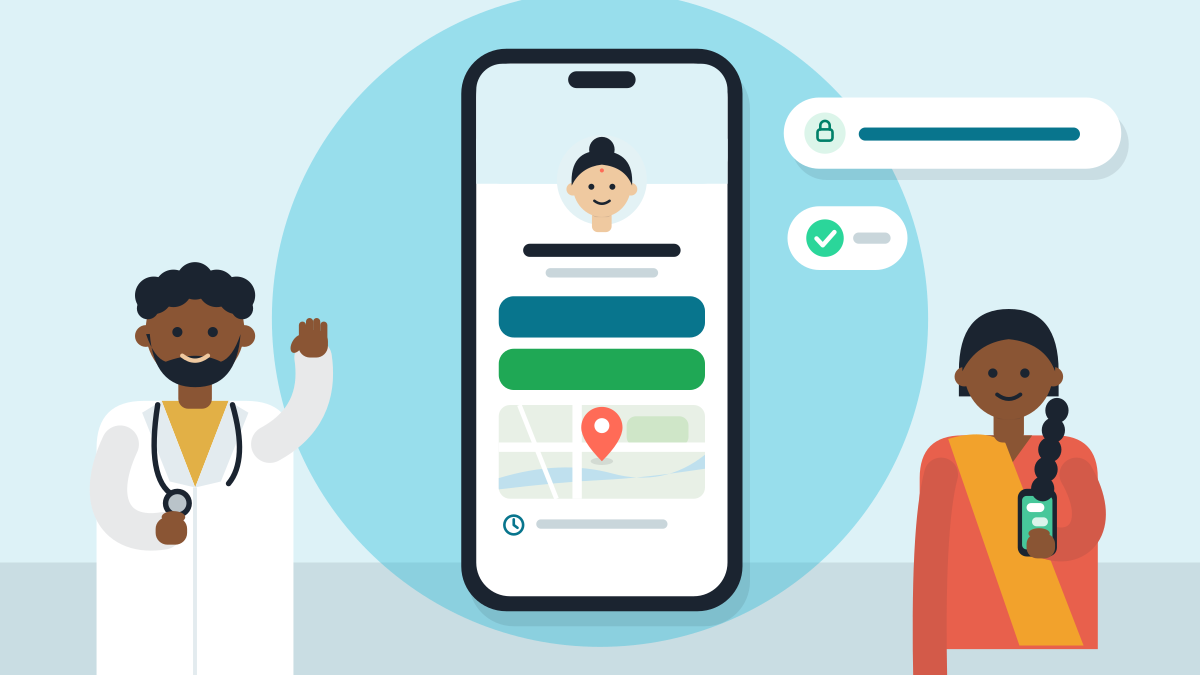
The free page shows your name, degrees and registration number, what you treat, your timings and a map. It has a WhatsApp button and a booking page. You also get QR codes and a desk poster to print. It comes in English and Hindi, and goes live in about 60 seconds.
Three small steps
- Pick the free website you are thinking about. Ask the six questions in the table.
- Open it on your phone, on mobile data. Count the seconds.
- Read your answers. If one is unclear, ask again before you say yes.
To see how ours does, run the checks on it yourself: Set up my digital clinic.
Still wondering if you need a website at all? Read do doctors need a website. Already have a Google profile? Read website or Google profile.
So, how do you pick a free doctor website? Check the address, the edits, the speed, Google, the owner and the cost.
Short answers
How do I choose a free website for my clinic?
Check six things on any free website: whose web address it uses, who can edit it, whether it is fast on a phone, whether Google finds it, who owns your words and photos, and whether it stays free. These checks take about ten minutes. A good answer to each is in the table above.
Is a free doctor website really free?
Some are, and some hide a cost for later. Some pages are free for a month, then ask for a card. Others show another brand's name or adverts, or charge to edit. Ask if it is free for life, if you need a card to start, and what costs extra.
Can I use my own web address with a free website?
Ask before you start. Many free sites give a long borrowed address with the builder's name inside it. Ask if you can use your own address later, and what happens to the old link then. Your own address, such as a .in name, is a small yearly cost, and you hold it.
How do I check if Google can find my clinic website?
Type site: and your address into Google, with no space, such as site:yourname.in. If your page shows, Google has seen it. If not, a new page can take a few weeks. Also link the page from your Google profile, so patients reach it in one tap.
Who owns the content on a free doctor website?
Ask in plain words: who owns the words, photos and fees on my page, can I take them with me if I stop, and can you take my page down if I ask. You should hear you do three times. Your page carries your name and degrees, so it should stay yours.
How fast should a clinic website open on a phone?
Google's web team says the main part of a page should show in 2.5 seconds or less to feel good. Open the page on your phone with Wi-Fi off and count. Check that you can read the words without zooming and tap the WhatsApp button with a thumb.