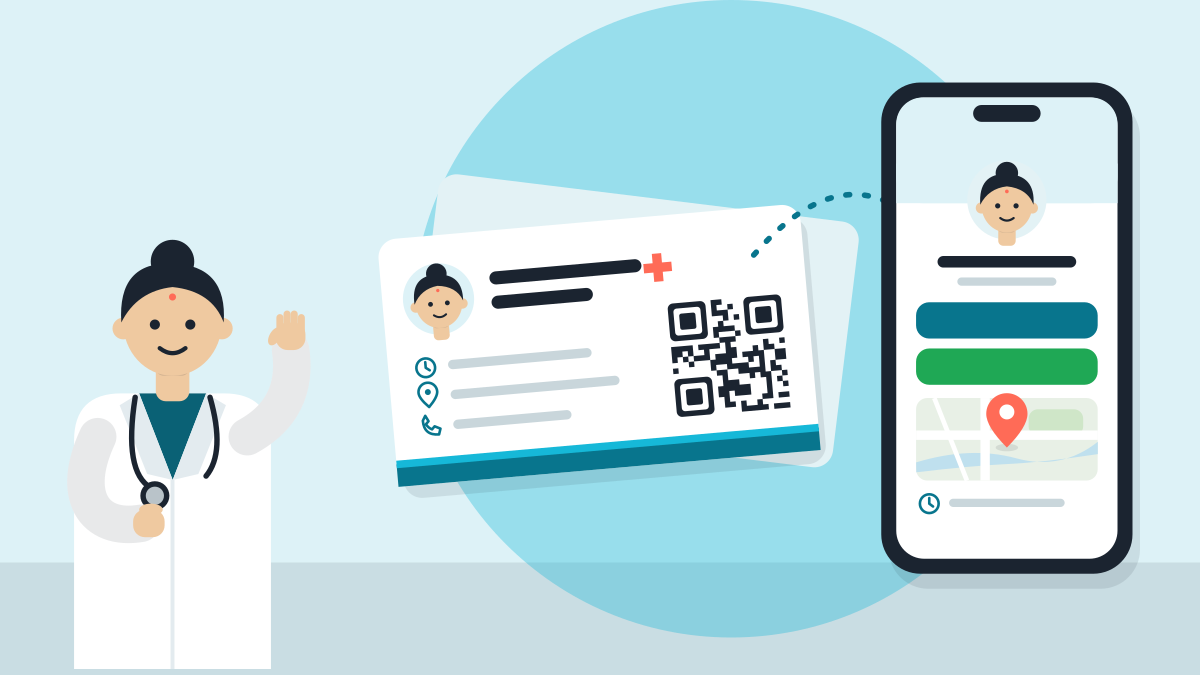
A digital visiting card is one link that opens a small page on a patient's phone. It holds your name, degree, clinic, timings, map and a button to call or WhatsApp you. You can make one free, and share it with a QR code, a WhatsApp message or your Instagram bio.
A paper card gets lost in a wallet. A link stays in the phone. This guide shows what to put on it and how to hand it out in a day.
A card that lives in the phone
Picture the card you hand out at a talk. Now it opens on the patient's phone, with a map and a call button. That is a digital card.
The patient types nothing. They tap the link or scan a code. The page shows who you are, where you sit and when to come.
Want a printed card too? Read a doctor visiting card format that patients keep. Many doctors use both. The paper card carries a QR code, and the QR opens the digital one.
Seven things, no more
Keep it short. A patient on a phone reads for a few seconds.
- Your name and degrees, the way you write them on your prescription.
- Your speciality, in words a patient would use. "Child doctor" can sit beside "Paediatrician".
- The clinic name and the address, with a map link.
- Your timings, for each place you sit. Many doctors sit in more than one place, and that is normal.
- A button to call, and a button for WhatsApp.
- A small photo of you or your clinic door, so the patient knows they have the right place.
- One line on what you treat, in plain words.
Leave out long essays and medical advice. The card is a door. The talk happens in the room.
Three ways, all free
1. Your clinic page. A free clinic page does the job of a digital card. You fill a short form, it goes live after a WhatsApp code, and you get a link. It comes with QR codes, a desk poster, a share card and a Hindi version.
2. A WhatsApp Business profile. The free WhatsApp Business app holds your name, address, hours and website. It also makes a short link. WhatsApp says anyone with that link can message you.
3. A simple link page. Some free tools stack a few buttons on one page. This works, but check that it shows your degrees, timings and map. Some do not.
The clinic page is the strongest choice. A patient sees your full details, not only buttons. And ChatGPT and Google Gemini can read it to learn the true facts about you.
Five places, a few minutes each
A QR code
A QR code is a small square that opens the link when a patient points a camera at it. Print it and put it on your desk, your door and your clinic board. The patient scans once and keeps your page.
The WhatsApp Business app can also make a QR code for your chat. See how to share your WhatsApp Business QR code.
After a visit, send the link with one line, such as: "Thank you for coming. Here is the clinic page, with my timings and map." They can forward it to a family member. That is how a card travels.
You can also add it to your WhatsApp status, so your contacts see it.
Instagram lets you add a website to your bio. Put your clinic page there. Write one line above it that says what you do and where, such as "Child doctor in [your city]. Timings and map below."
Google and Maps
Add the same link to your Google profile as the website. Then your Google profile, your page and your card all point the same way.
Add the link under your name in your email, so every message you send carries your card.
One page, one place to change
When your timings change, change them in one place. Update your page once and every QR code and share still works. A paper card cannot do that.
That is the real gain. The QR code on a poster never goes out of date. The page behind it is always the new one.
Your first day
- Write the seven things from the list above in a note on your phone.
- Make your free clinic page: Set up my digital clinic. It takes about a minute.
- Open it on your own phone. Check the timings, the map and the WhatsApp button.
- Print the QR code and put it on your desk and your door.
- Put the link in your Instagram bio and your Google profile.
- Send it to your next five patients on WhatsApp.
One link, one card, always up to date. That is a digital visiting card.
Short answers
What is a digital visiting card for doctors?
A digital visiting card is one link that opens a small page on a patient's phone. It holds your name, degree, clinic, timings, map and a button to call or WhatsApp you. The patient types nothing. They tap the link or scan a QR code.
How do I make a free digital visiting card as a doctor?
There are three free ways. Make a clinic page from a short form, which goes live after a WhatsApp code. Use a WhatsApp Business profile with its short link. Or use a simple link page tool. Check that it shows your degrees, timings and map.
What should I put on a doctor's digital visiting card?
Put seven things: your name and degrees, your speciality in words patients use, the clinic name and address with a map link, your timings for each place, call and WhatsApp buttons, a small photo, and one line on what you treat. Leave out long essays and medical advice.
How do I share my digital visiting card with patients?
Use five places. Print a QR code for your desk and door. Send the link on WhatsApp after a visit. Add it to your Instagram bio. Add it to your Google profile as the website. Add it under your name in your email.
Does a digital visiting card replace a paper card?
Not always. Many doctors use both. The paper card carries a QR code, and the QR opens the digital one. A paper card gets lost in a wallet. A link stays in the phone, and one page change updates every QR code and share.