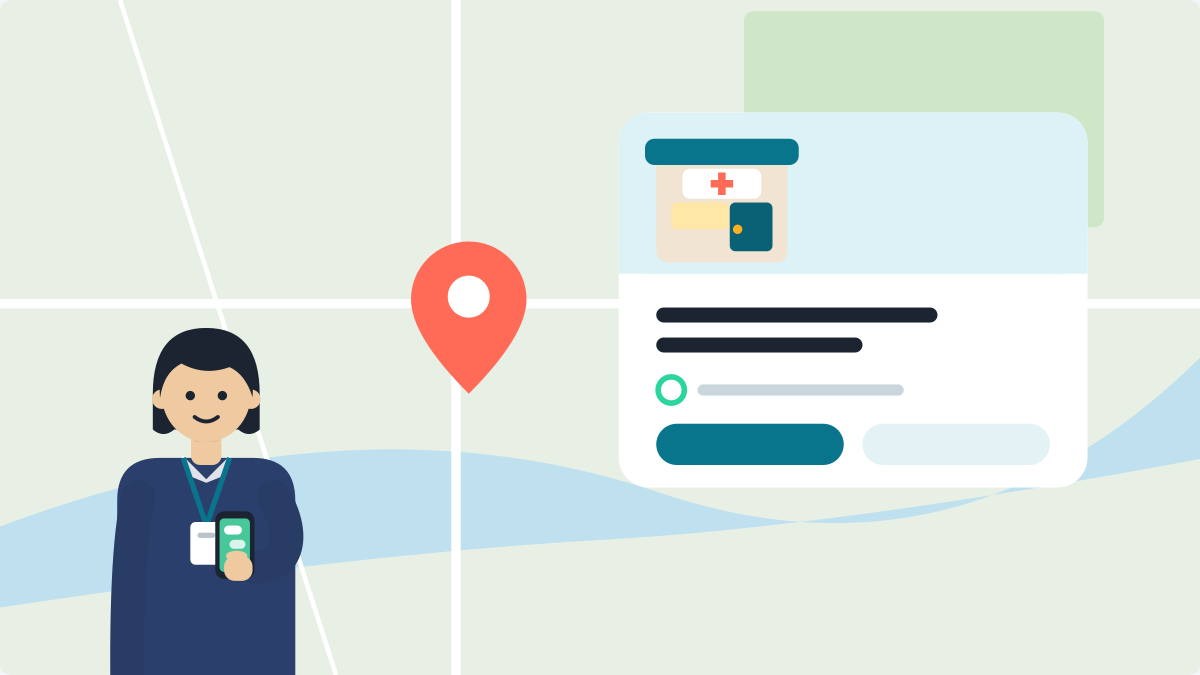
To add photos, open the Google Maps app. Tap Business, then More, then Add photo. Choose your photos, tap Done, then Post.
Add a clear signboard, entrance, reception and timings board. Delete old ones that no longer match your clinic.
Photos are how a family from another town knows your building from the road. Google also says Gemini in Maps answers questions about a place. It reads the reviews, photos, details and the web (Google, 6 Nov 2025).
Clinic profiles often have one of two problems. They have almost no photos. Or they show a signboard or timings that changed years ago. Both are easy to fix from your phone.
Why do photos matter to patients?
A family reads your photos before they leave home. Think of a family coming 40 km for a first visit. They want to know what the building looks like from the road. They want to know if the clinic is on the ground floor. They want to know if there is a lift for an older parent. A question often sounds like this:
"Clinic first floor pe hai kya? Papa seedhi nahi chadh paate."
Google does not say how much a photo counts in an answer. But an old signboard photo is a wrong fact in the material it reads. We explain the change in Gemini now answers in Maps.
Which six photos should I add?
Add the six photos in the table. Google's photo tips ask for at least three outside photos. Take them from each direction a customer might come from, at different times of day. Google also asks for at least three inside photos. They should show what it is like to stand inside as a customer.
| Photo | What it answers | Keep in mind |
|---|---|---|
| Outside signboard, from the road | "Is this the right building?" | A current board with a readable name |
| Entrance, from each approach | "Where is the door?" | Show the landmark if it is in view |
| Evening outside view | "Can I find it after dark?" | Useful if you have an evening OPD |
| Reception and waiting area | "What is it like inside?" | No patients in the frame |
| OPD timings board | "When does the doctor sit?" | It must match your hours on Google |
| Ramp, lift or ground-floor access | "Can an older parent get in?" | Only if it is really there |
Photos of equipment or your team are optional. Ask a staff member before they appear in a photo.
Never post patients. No faces, no files, no reports, no screens with names. Google's content policy does not allow another person's face or medical information without consent. The NMC's 6 October 2026 guidelines say a doctor shall not share patient data. That includes names or faces that can be identified. Check the background of every reception photo.
Your own photo. The same NMC guidelines say a doctor's photograph must not be used where it is self-advertisement or promotion. Read what the new NMC guidelines mean before you put your face on a profile. This is not legal advice.
How do I add, set and remove photos?
Add photos in the Maps app (Google's steps):
- Open Google Maps. Sign in with the account that manages your clinic.
- At the bottom right, tap Business.
- Tap More, then Add photo.
- Choose your photos. Tap Done.
- At the top right, tap Post.
Set a cover photo or logo. Tap Business, then More, then Cover photo or Logo. Choose the photo and tap Post. Google notes the cover photo may not always be the first one shown. No logo yet? Make one with the free clinic logo maker.
File rules.
- Use JPG or PNG, between 10 KB and 5 MB.
- The size should be at least 250 by 250 pixels. 720 by 720 is recommended.
- Photos should be in focus and well lit.
- Google says photos should show reality, without heavy filters or AI changes.
- Videos can be up to 30 seconds.
- New photos can take 24 to 48 hours to show. Photos show only once the profile is verified.
Set your access details too. A photo can show a ramp. A setting can say it. Tap Edit profile, then More, and look for accessibility options (Google's page). Choose Yes for a wheelchair-accessible entrance if it is about one metre wide with no steps. Google also accepts a ramp. Which options you see depends on your country and category. Tick only what is true.
Remove your own old photos:
- In Maps, tap Business, then See Business Profile, then Photos.
- Open the photo. Tap the bin icon, then Delete.
- Start with any photo of an old signboard, old address, old clinic name or old timings.
What if someone else adds a wrong photo?
Report it. Patients can add photos to your profile too. You cannot delete those yourself. You can report one that breaks Google's rules. Examples are a patient's face, a prescription with a name, or a photo of another place.
- In Maps, tap Business, then See Business Profile, then Photos.
- Open the photo. Tap More, then Report.
- Pick a reason, like Personal information, and tap Submit (Google's steps).
Google says a review can take several business days. Reporting the same photo many times can slow it down. If Google does not remove it, you may be able to appeal once.
A true photo that is only unflattering will usually stay. The better answer is recent, clear photos of your own.
How often should I check my photos?
Every three months. Photos go out of date quietly. A new signboard, a changed OPD or a new entrance makes an older photo wrong.
- Scroll through your photos like a patient. Delete anything that no longer matches your clinic.
- When you change your hours (our timings guide), photograph the new timings board the same day.
New to Google Maps? Start with how to add your clinic.
Questions doctors ask
How do I add photos to my clinic's Google profile?
Open the Google Maps app and sign in with the account that manages your clinic. Tap Business, then More, then Add photo. Choose your photos and tap Done. Then tap Post at the top right. New photos can take 24 to 48 hours to show.
Which photos should a clinic add on Google?
Add six photos. Take an outside signboard from the road, the entrance from each approach, and an evening outside view. Add the reception and waiting area, the OPD timings board, and ramp, lift or ground-floor access if it is really there. Google asks for at least three outside and three inside photos.
Can I post patient photos on my Google profile?
No. Never post patients: no faces, no files, no reports and no screens with names. Google's content policy does not allow another person's face or medical information without consent. The NMC's 6 October 2026 guidelines say a doctor shall not share patient data. Check the background of every reception photo.
How do I delete an old photo from my Google profile?
In Maps, tap Business, then See Business Profile, then Photos. Open the photo, tap the bin icon, then Delete. Start with any photo of an old signboard, address, clinic name or timings. Check your photos every three months, because they go out of date quietly.
What can I do about a wrong photo someone else added?
Report it. You cannot delete a photo that a patient added. You can report one that breaks Google's rules, such as a patient's face or a photo of another place. Open the photo, tap More, then Report, pick a reason and tap Submit. A review can take several business days.
More guides
- How to get ChatGPT to recommend your clinic: The main guide, with the steps for this week.
- How to remove a duplicate Google business profile: Find the old copy, take it over, then remove or merge it.
- How to choose your Google Business Profile category: Pick the category that says what you are.
- How to reply to a bad Google review as a doctor: Reply without naming any patient.
- What the NMC lets you share: name, degrees, fees, health teaching: The clauses, in plain words.
- What your clinic website tells AI about you: Put your name, specialty, city and timings in plain words.
- Does your doctor Instagram show up on Google?: A bio and captions that tell AI who you are.
Want to see what ChatGPT and Gemini say about you?
Good photos help a family find your door. VisiDx helps them find your name. We ask ChatGPT, Google Gemini and Google AI the questions your patients ask. We show you what they say about you. We also check your Instagram, website and Google profile against the NMC rules. Your clinic page is live in 60 seconds, and you can add the check when you want it.
VisiDx Team
Built by a doctor, for doctors.
Not affiliated with Google, OpenAI, Anthropic, Perplexity, Microsoft, Meta or YouTube.