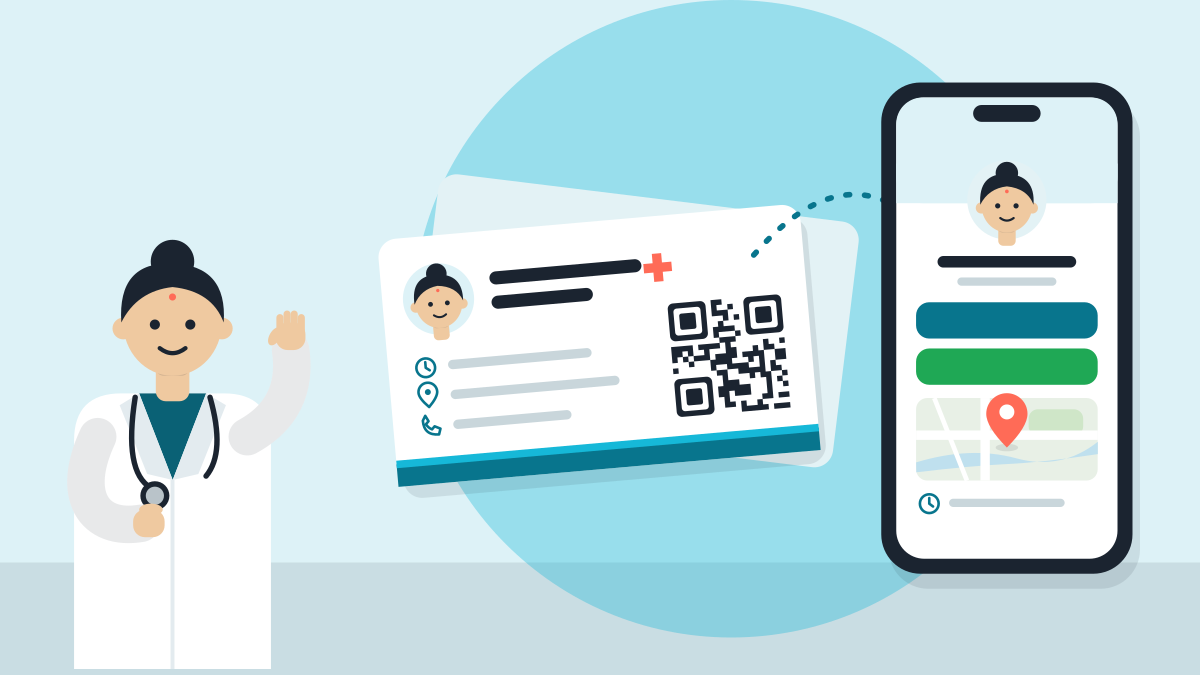
A doctor's visiting card works best with six things on it. They are your name, degree, registration number, clinic name, phone number and a QR code. Put the name on the front. Put the address and the QR code on the back. Use a plain white or light card, with large type.
A patient keeps a card that answers two questions in two seconds. Who is the doctor? How do I reach the clinic? A crowded card gets thrown away.
Who you are
The front says who you are, nothing else. Use this order from the top.
| Line | What to write | Type size |
|---|---|---|
| 1 | Dr [Your name] | Largest, bold |
| 2 | Degree, for example MBBS, MD | Medium |
| 3 | What you treat, in words patients use | Medium |
| 4 | Reg. No. [number] | Small |
| 5 | Clinic name | Medium |
Say what you treat as patients say it. "Skin, hair and nail problems" is easier to read than a long Latin term. A mother looking for a child's doctor searches for "bachon ke doctor". Write "Child doctor (paediatrician)" and both words work.
Skip the photo, the long list of degrees and every logo. A small card holds six lines well and twelve lines badly.
How to reach you
The back is for action. A patient turns the card over only to call, visit or book.
| Part | What to write |
|---|---|
| Address | Full address and one landmark, for example "opposite the bus stand" |
| OPD | Days only, for example "Monday to Saturday". Leave the hours to the QR code |
| Phone | The number that is answered. If it is WhatsApp too, write "WhatsApp" next to it |
| QR code | One code, at least as big as a thumb nail |
| Blank line | "Next visit: ______" |
The last line makes patients keep the card. Write the date by hand when the visit ends. A card with a date goes into the wallet.
Why only days? Hours change. A card with old hours sends people to a shut door, which is worse than no card. Let the QR code carry the hours.
Where should the QR code go?
Pick one place for the code to open:
- A WhatsApp chat. In the WhatsApp Business app, open Tools, then the three dots, then Short link, then View QR code. You can set the first message a patient sends, up to 140 characters (WhatsApp's page). For example: "Hello, I would like an appointment."
- Your clinic page. It shows timings, map, phone and booking in one place. When your OPD changes, the card stays right.
Before you print, scan the code with two different phones, and from arm's length too. A code that does not scan wastes the card.
What to tell the printer
These are the usual settings in India. Ask your printer for them (Printster).
| Setting | Usual choice |
|---|---|
| Card size | 90 by 54 mm (about 3.5 by 2 inches) |
| Bleed | 3 mm on every side, so the design file is 96 by 60 mm |
| Safe margin | Keep all text 3 mm inside the edge |
| Paper | 350 GSM art card. Thicker if you want a firmer feel |
Print a test of ten cards first. Check the spelling of your name and the numbers. Then order the full batch. One wrong digit in a phone number on 500 cards is a costly mistake.
For type, use one clear font in two sizes. Black on white reads best. Add one brand colour for the name or clinic line if you like. Avoid thin or curly letters, because older patients read the card too.
If many patients read Hindi
Many clinics keep English on the front and Hindi on the back. A short sample of the back:
पता: [पता], [लैंडमार्क] के सामने ओपीडी: सोमवार से शनिवार फ़ोन / व्हाट्सऐप: [नंबर] अगली बार: ______
Keep the doctor's name and registration number on the front in English, so they match your other papers.
A card on the phone
A paper card gets lost. A link does not. Put the same six things on a free clinic page, and give patients the link on WhatsApp too. It goes live in 60 seconds after you confirm on WhatsApp. You also get a QR code and an A5 desk poster to print. Set up my digital clinic, then use its QR code on your new card.
Five steps
- Write your six lines on paper. Cross out anything that is not needed.
- Decide where the QR code will open.
- Send the front and back to a printer, with the settings above.
- Check the proof for spelling and numbers.
- Keep a few cards at the reception desk, and hand one to every patient with the prescription.
A card is a small thing. When it is clear, it gets kept, and a kept card gets used.
Related guides
- How to add your clinic on Google Maps: step by step for doctors in India
- Kolkata doctors: take bookings on a page you own
- Do doctors need a website? Yes, a small one: here is why
- How to change your clinic timings on Google Maps
Short answers
What should be on a doctor's visiting card in India?
Put six things on it: your name, degree, registration number, clinic name, phone number and a QR code. Put the name on the front. Put the address and the QR code on the back. Use a plain white or light card with large type. A crowded card gets thrown away.
What size is a visiting card in India?
The usual size is 90 by 54 mm, about 3.5 by 2 inches. Ask your printer for 3 mm bleed on every side, so the design file is 96 by 60 mm, and keep all text 3 mm inside the edge. The usual paper is 350 GSM art card.
Should a doctor's visiting card show OPD hours?
Show only the days, such as Monday to Saturday, and let the QR code carry the hours. Hours change. A card with old hours sends people to a shut door, which is worse than no card. Pointing the QR code to your clinic page keeps the card right when OPD changes.
Where should the QR code on a doctor's card open?
Pick one place. It can open a WhatsApp chat, where you set the first message up to 140 characters, or your clinic page with timings, map, phone and booking. Scan the code with two phones, and from arm's length, before you print.
How do I avoid printing mistakes on visiting cards?
Print a test of ten cards first. Check the spelling of your name and every phone digit. Then order the full batch. One wrong digit on 500 cards is a costly mistake. Use one clear font in two sizes, and black on white reads best.
Can I make a digital visiting card as well?
Yes. A paper card gets lost, and a link does not. Put the same six things on a free clinic page and give patients the link on WhatsApp too. You also get a QR code and an A5 desk poster to print.
VisiDx Team
Built by a doctor, for doctors.
Not affiliated with Google, OpenAI, Anthropic, Perplexity, Microsoft, Meta or YouTube.